1. Check Your Welcome Email
When you are added to Planning Center, you will receive a Welcome Email.
In the email:
1. Open the Planning Center invitation.
2. Click Get Started or Accept Invitation.
3. Create your Planning Center account using the email address the invitation was sent to.
4. Create your password.
If you already have a Planning Center account, simply sign in.
Tip: If you don't see the email, check your Spam/Junk folder.
2. Access Planning Center
Once your account is set up:
- Go to Planning Center.
- Sign in with your email and password.
- Open the Services section.
- Select the service date you are scheduled to serve.
We recommend using the Planning Center Services app on your phone for easier access.
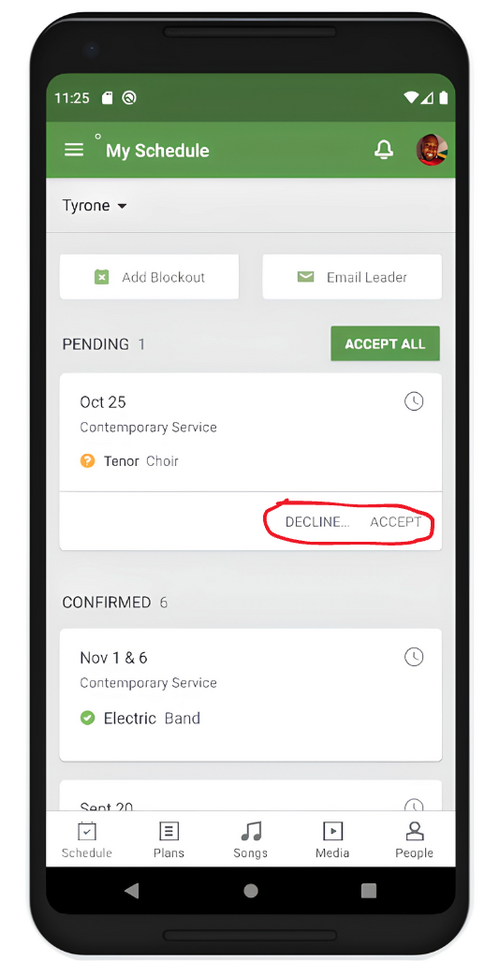
3. Confirm or Decline Your Serving Request
When you receive a serving request, please respond as soon as possible.
- Open your Planning Center notification or email.
- Choose:
- Accept/Confirm – if you are available to serve.
- Decline – if you are not available.
Please do not leave requests unanswered.
If you do not respond, your request will remain Pending, and we will plan as though you are unavailable. However, we still need you to accept or decline so our schedule stays accurate.
4. Find Your Lesson Materials
Your lesson materials are available directly through your Planning Center service request.
- Open the Planning Center Services app or website.
- Go to the date you are scheduled to serve.
- Open your scheduled position.
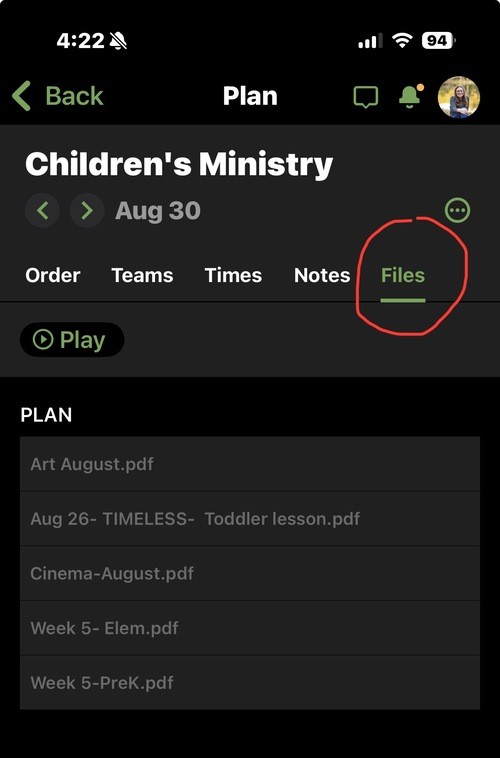
- Look for the Files section on the right side of the page.
- Click Files.
- Open or download the lesson materials you need.
Tip: Lesson materials are connected to the specific service date, so make sure you are looking at the correct date.
6. If You Need to Change Your Availability
If you accepted a serving request but later realize you cannot serve:
- Contact your team as soon as possible so they can seek a replacement if possible.
- Do not simply leave the position unanswered.
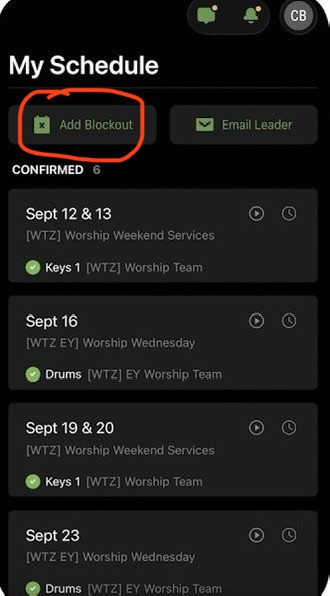
7. Blockouts
If you know you will not be available on a Sunday, please add it as a "Blockout" so you will not be requested to serve.
Blockouts help us know what to expect and respect your boundaries when you are taking time off.
Quick Reminder
Every time you receive a Planning Center request:
1. Open it → 2. Check the date/time/room → 3. Accept or Decline → 4. Review your lesson in Files → 5. Come prepared!
THANK YOU!
Thank you again for all that you do and for the way you faithfully serve our children and families. I am so grateful to serve alongside each of you, and I look forward to all that the Lord is going to do through our ministry this year!
Please don't hesitate to reach out if you have any questions!